
Is Your ISP Blocking IPTV? How to Detect & Fix It 2026
August 12, 2026 · 9 min read
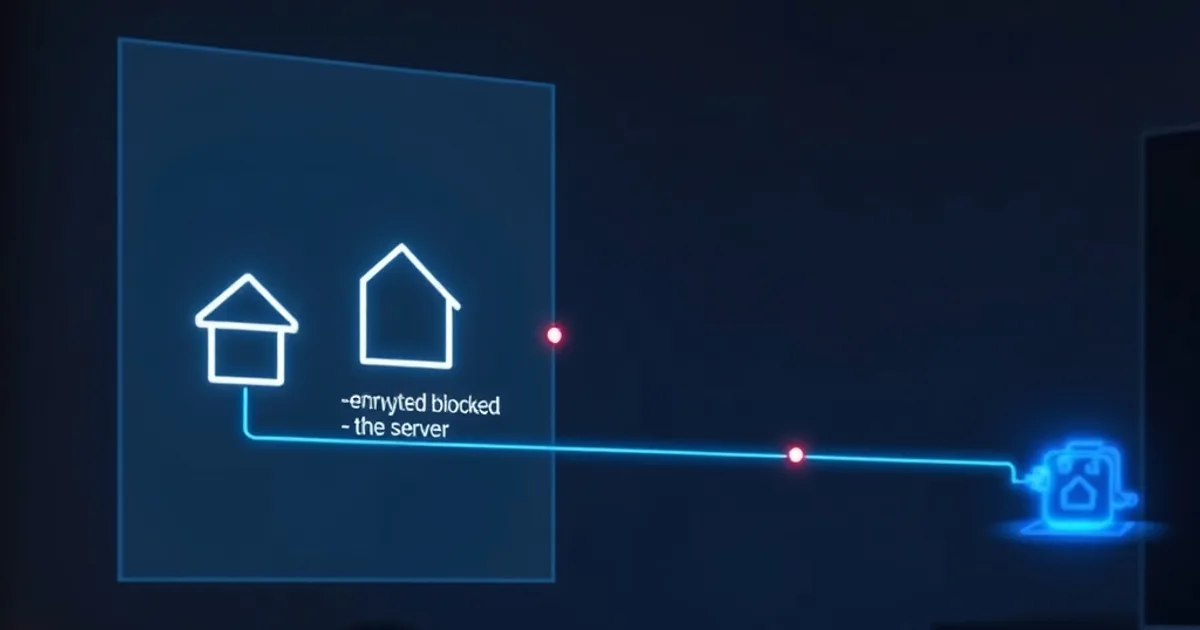
Your stream buffers for ten seconds, recovers, then dies completely and never comes back — even after a router restart. That pattern isn't throttling anymore. It's a block, and it behaves like a different problem because it is one. Most guides treat "ISP is messing with my IPTV" as a single issue with a single fix (usually "get a VPN"). That advice is often right, but it's rarely explained, and it skips a diagnostic step that would save you money and frustration: figuring out which problem you actually have before you pay for a solution to the wrong one.
The timing makes this worth getting right now. The Premier League's 2026-27 season kicks off the weekend of August 21-22, and every August since the sport moved decisively to streaming has brought the same pattern: a spike in dynamic blocking orders filed specifically to cover live matchweeks, DNS-level interference that appears and disappears around kickoff, and payment processors like Visa, Mastercard, and PayPal tightening their screening of merchants connected to unlicensed streaming. None of that is theoretical — it's the environment IPTV viewers are streaming into this month.
This guide separates the two failure modes readers usually lump together, gives you three tests you can run in under ten minutes to know which one you're facing, explains the legal mechanics behind 2026's enforcement escalation, and lays out solutions ranked from free to paid — not just "buy a VPN" as a reflex answer.
ISP Blocking vs Throttling: Why One Solution Won't Fix Both
Throttling is your ISP deliberately slowing specific traffic — usually identified by port, protocol signature, or destination IP range — while still letting it through. A throttled IPTV stream buffers constantly, drops to low resolution, and might stabilize late at night when network congestion management eases up. It's inconsistent by design because the ISP is managing bandwidth, not denying access. We cover diagnosing and fixing throttling specifically in our companion guide, /blog/detect-fix-isp-throttling-iptv, and if your symptom is "slow but working," that's the article to read instead of this one.
Blocking is different in kind, not degree. The ISP (or a DNS resolver, or a transparent proxy sitting between you and the internet) refuses the connection outright — often via a court-ordered blocklist targeting specific domains or IP ranges tied to unlicensed streaming services. A blocked stream doesn't buffer and recover; it fails to connect at all, times out, or returns a DNS error. Restarting your app or router does nothing because the block isn't a congestion artifact, it's a policy enforced at the network or resolver level.
The reason this distinction matters practically: throttling fixes (switching ports, changing streaming protocol, using a wired connection) do almost nothing against a real block, and block-bypassing fixes (VPN, alternative DNS) are overkill and sometimes counterproductive against simple throttling, since routing everything through a VPN can add latency that makes a throttled-but-working stream worse. Diagnosing correctly before you act saves both money and stream quality.
Not sure if you're dealing with blocking or throttling? Send us your symptoms and we'll help you tell the difference.
How to Detect ISP Blocking (3 Quick Tests & Tools)
**Test 1 — DNS vs raw IP.** Try loading your IPTV app or portal using its domain name, then try connecting via its raw IP address if your provider or app supports entering one directly. If the domain fails but the raw IP connects, your ISP or its default DNS resolver is blocking at the DNS layer specifically — the most common and easiest-to-bypass form of blocking in 2026.
**Test 2 — switch DNS and retest.** Change your device or router's DNS servers to a public alternative (1.1.1.1 or 8.8.8.8 are the standard choices) and reload. If the previously-dead connection suddenly works, you've confirmed DNS-level blocking, which is the cheapest problem to solve — no VPN required, just a settings change covered in the next section.
**Test 3 — mobile data comparison.** Turn off Wi-Fi and load the same stream over your phone's cellular data. If it works on mobile but not on your home ISP, the block is specific to your fixed-line provider's network, not a universal takedown of the service. This test also rules out "the service itself is down," which is worth eliminating before you spend time on any fix — a genuinely offline provider looks identical to a block from your end.
Run all three in sequence and you'll know within minutes whether you're dealing with DNS-level interference, a deeper IP/protocol block, or something unrelated to your ISP entirely. That result determines which fix in this guide is worth trying first.
Why ISPs Block IPTV in 2026: Legal Enforcement & Dynamic Injunctions
The mechanism behind most 2026 IPTV blocking isn't an ISP deciding unilaterally to police its own network — it's a court injunction. Rights holders in football and other live sports have increasingly won "dynamic" or "live" blocking orders: instead of naming a fixed list of domains once, the injunction lets rights holders add newly-identified streaming domains and IPs to a blocklist in near real time, often activated specifically during live matchweeks and lifted between them. That's why some readers see a service blocked on a Saturday and working fine on a Tuesday — the order is scoped to the event, not permanent.
Deep Packet Inspection (DPI) has also become more common on ISP infrastructure that supports these orders. Rather than only blocking by domain or IP, DPI-capable networks can inspect traffic patterns and protocol signatures to identify streaming traffic even when it's routed through non-obvious ports, which is part of why some blocks now survive simple port-switching tricks that used to work reliably a few years ago.
The financial side reinforces the trend. Visa, Mastercard, and PayPal have all tightened merchant screening around services connected to unlicensed sports streaming, cutting off payment rails rather than network access. That pressure doesn't block your stream directly, but it's part of the same enforcement wave and explains why some services change payment processors or domains without warning — another reason a diagnostic-first approach beats guessing at a single cause.
VPN Solutions: Which Providers Bypass ISP Blocks (and Why Some Get Detected)
A VPN solves blocking by routing your traffic through an encrypted tunnel to a server outside your ISP's blocklist, so the ISP sees only encrypted traffic to a VPN endpoint, not the destination you're actually reaching. For confirmed IP/protocol-level blocks (not just DNS blocks — see Test 1 above), a VPN is usually the most reliable fix available to an end user.
Not all VPN traffic looks the same to an ISP running DPI, though. Providers that support obfuscated or "stealth" protocols (traffic designed to look like ordinary HTTPS rather than an identifiable VPN signature) hold up better against advanced enforcement than providers using older, easily-fingerprinted protocols. If a VPN connects but your stream still fails, the VPN's traffic pattern itself may be getting flagged and secondarily throttled or blocked — worth testing a protocol switch inside the VPN app before assuming the VPN failed entirely.
A VPN also matters beyond IPTV specifically if you're streaming in 4K during live matches, where added latency or a distant server choice can visibly hurt quality. If you're setting up for the Premier League season specifically, our /blog/iptv-4k-sports-setup-guide covers server selection and bandwidth planning so the VPN you add to bypass a block doesn't become the reason your 4K stream stutters.
Cheaper Alternatives: DNS Changes, Proxy, & Protocol Switching
If Test 2 confirmed a DNS-level block, you don't need a VPN at all. Changing your router's or device's DNS to a public resolver is free, takes under five minutes, and adds no latency — it's the correct first fix to try, not a fallback. Do this at the router level if possible so every device on your network benefits, rather than reconfiguring each app or box individually.
A SmartDNS or proxy service sits between a plain DNS change and a full VPN: it reroutes only the specific traffic needed to resolve and reach your streaming service, without encrypting or rerouting your whole connection. That means less latency overhead than a VPN, but it does nothing against DPI-based blocking that inspects traffic content rather than destination — it's a fix for DNS and simple IP blocks only.
Protocol switching — for example moving from an HTTP-based stream URL to an HTTPS or alternative-port variant, where your IPTV app or provider supports it — can also route around blocks that specifically target a known port or unencrypted signature. It's the least reliable of the three against modern DPI enforcement but worth trying because it costs nothing and takes seconds.
Comparing Your Options: VPN vs DNS vs Changing ISP
DNS change: free, fastest to set up, fixes DNS-level blocks only, does nothing against DPI or IP-range blocks. Try this first always — it costs you nothing to rule out.
SmartDNS/proxy: low cost, minimal speed impact, covers DNS and basic IP blocks, still vulnerable to deep packet inspection. Reasonable middle step if a plain DNS change didn't work.
VPN: moderate ongoing cost, some latency impact depending on server distance and protocol, the most comprehensive fix against IP, protocol, and DPI-based blocking. The right tool once Tests 1-3 confirm you're dealing with more than a DNS issue.
Switching ISPs entirely is the option nobody wants to hear and, realistically, the least practical for most households — but it's worth naming because in regions where one dominant ISP enforces blocks aggressively and a smaller regional provider doesn't, it's occasionally the most durable fix. For everyone else, working through DNS, then SmartDNS, then VPN in that order gets you to a working stream without overpaying for a fix your specific block doesn't need.
Stop troubleshooting around the problem and get a setup built to stay online through the season.
Testing & Verification: Confirm IPTV Access Is Restored
Once you've applied a fix, don't just check that the app opens — load a live channel or match stream specifically, since some blocks target live-event traffic patterns differently from on-demand content and a VOD test can give a false all-clear. Let it run for at least two to three minutes; blocks that reset periodically can briefly allow a connection before cutting it.
Re-run Test 1 and Test 2 from earlier in this guide after applying your fix. If DNS resolution now succeeds and the raw-IP and domain paths both connect cleanly, you've confirmed the block is bypassed rather than just intermittently absent. Save whatever DNS or VPN configuration worked — enforcement in 2026 is dynamic, and reapplying a known-working fix after a future block is far faster than re-diagnosing from scratch.
If you're setting this up across a household with multiple TVs, boxes, and phones, doing the fix once at the router level rather than per-device saves you from repeating this whole process on every screen — our /blog/iptv-family-multi-device-setup guide covers getting a consistent, blocked-proof setup across every device in the house.
Frequently asked questions
How do I know if it's my ISP and not my IPTV provider that's down?
Run Test 3 from this guide: switch to mobile data and try the same stream. If it works over cellular but not your home Wi-Fi, the problem is specific to your ISP's network, not the provider itself.
Will a free VPN fix ISP blocking?
Sometimes, briefly. Free VPNs typically use a small pool of well-known server IPs that get added to blocklists quickly, and many lack the obfuscated protocols needed to get past DPI-based detection — so a free VPN may work today and fail again within days as its servers get identified.
Does changing my DNS settings actually help against blocking?
Yes, but only for DNS-level blocks specifically. Run Test 1 and Test 2 above to confirm that's your situation before assuming a DNS change alone will solve it — deeper IP or DPI-based blocks need a VPN instead.
Why do IPTV blocks seem to intensify around big matches?
Many 2026 blocking orders are 'dynamic' injunctions scoped specifically to live sporting events, meaning enforcement activates around kickoff and matchweeks and can ease off between them — which is why the same connection can work one day and fail the next.
Is it the same fix for throttling and blocking?
No. Throttling slows a connection that still works; blocking cuts it off entirely. See /blog/detect-fix-isp-throttling-iptv if your symptom is buffering and slow speeds rather than a stream that won't connect at all.
Read next: the pricing page or the FAQ.