
IPTV Sports Fragmentation 2026: Why One App Beats 10+ Streaming Services
August 28, 2026 · 8 min read
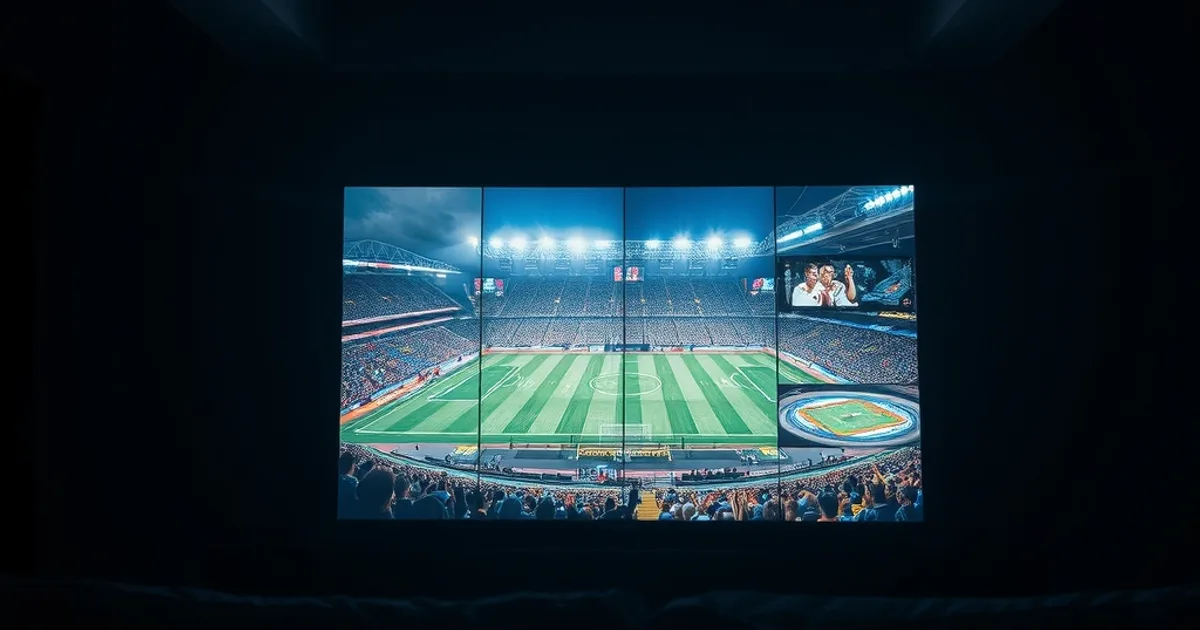
IPTV sports fragmentation 2026 is shorthand for a real problem fans are living through right now: the season you actually want to watch — NFL, NBA, Premier League, La Liga, UFC — is no longer sitting behind one cable box or even one streaming app. It is scattered across broadcast networks, subscription apps, and league-owned platforms, each with its own login, its own bill, and its own blackout rules.
The NFL's 2026 regular season kicks off on Wednesday, September 9, with the New England Patriots facing the Seattle Seahawks in a Super Bowl 60 rematch on NBC and Peacock. That single game airs on just two of the roughly nine outlets a typical NFL household now needs across a season. Searches for ways to watch every league without paying for ten separate subscriptions spike every August, and this year is no different — if anything, the fragmentation problem has gotten worse, not better.
This isn't a listicle of "best IPTV providers" or a device-setup tutorial. It's a look at why sports fragmentation happened, what it actually costs a household in time and money, why cable was never built to fix it, and how one IPTV subscription — set up correctly — consolidates the leagues you follow into a single place to watch.
The 2026 Sports Crisis: Why You Need 10 Services for One Season
Start with the NFL, because it's the clearest example of how deep sports fragmentation runs in 2026. FOX and FOX One carry Sunday afternoon NFC games and select playoff windows. CBS and Paramount+ carry Sunday afternoon AFC games. NBC and Peacock hold Sunday Night Football and the kickoff game. Prime Video owns most Thursday Night Football broadcasts. Netflix now carries a five-game package under its own rights deal. ESPN and ABC split Monday Night Football. NFL Network airs seven games, including a run of international windows. And if you want out-of-market Sunday afternoon games or local games on your phone, that's NFL Sunday Ticket and NFL+ — two more logins, two more subscriptions.
Count them and you're at eight or nine distinct services just to follow the NFL through a normal week, before you've added a single other league. Layer in the NBA — split nationally across ABC/ESPN, NBC/Peacock, and Prime Video for the 2026-27 season, on top of whatever regional network or team app carries your local team — and you've doubled down on the same problem with a completely different set of apps.
Premier League and La Liga add another layer again: coverage depends on which country you're watching from, and the rights holder in your market is rarely the same platform carrying your NFL or NBA games. UFC pay-per-view events sit behind yet another paywall. None of these systems were built to talk to each other, because none of the rights holders have any reason to make your life easier — each one just needs you subscribed to their own app.
This is the core of IPTV sports fragmentation in 2026: it isn't one bad actor, it's a dozen separate, rational business decisions that collectively leave the fan managing more logins than most people manage for work.
Not sure which of your leagues are actually covered? Ask before you commit to anything.
The Real Cost: What Chasing Every League Actually Costs a Household
It's tempting to look for one headline number that captures what fragmented sports streaming costs a household per year, but the honest answer is that it depends entirely on which leagues you follow and which combination of apps your market requires — and most fans have never actually added it up. That's the real cost people underestimate: not any single subscription, but the compounding effect of stacking several of them at once, each billed separately, each renewing on its own schedule.
A useful exercise is to list every service you'd need for a full season the way you'd list line items on a budget: your broadcast-network streaming tier, your cable-alternative live-TV bundle if you still need one for local channels, your Thursday-night platform, your league-owned app for out-of-market games, and any pay-per-view events. Some of these are monthly, some are seasonal, some are add-ons bundled into a service you already pay for something else. Once it's written out as a list rather than felt as a vague annoyance, the scale of the stacking becomes obvious.
The hidden cost isn't only financial, either. It's the time spent remembering which app has tonight's game, the friction of a guest not knowing your five different logins, and the moment mid-game when you realize the matchup you actually want is on the one service you didn't renew. Fragmentation taxes attention as much as it taxes a bank account.
For a full breakdown of how Kemo IPTV structures plans against that kind of stacked cost, our subscription guide (/kemo-iptv-subscription-guide) walks through what's included at each tier and how to map it against the leagues you actually follow.
Why Cable Can't Compete (And Why Cord-Cutting Keeps Accelerating)
Cable used to be the one-stop answer to sports fragmentation, bundling every regional and national feed onto a single box. That model has been quietly falling apart for years, and 2026 is no exception — traditional pay-TV subscriber counts have kept declining as more live sports rights move to streaming-first or streaming-exclusive deals. Cable simply can't offer what it used to, because the leagues themselves have stopped selling exclusive national packages to any one distributor.
Even where cable still carries a game, it usually can't carry all of them. Netflix's NFL package, Prime Video's Thursday Night Football, and Peacock's exclusive NFL windows exist entirely outside the cable ecosystem — no cable subscription, however expensive, unlocks them. Add a streaming-only package on top of cable and you've paid twice for the privilege of still juggling multiple remotes and multiple apps.
This is the trap cable can't escape: it was designed around exclusive regional distribution deals, and the sports rights market has moved to a model where the same league sells different windows to different platforms on purpose, specifically to maximize how many separate subscriptions fans are willing to pay for. Cable can't consolidate what the leagues themselves have deliberately split apart.
The IPTV Solution: Every Major League, One Subscription
IPTV solves fragmentation from a different angle than cable does. Instead of trying to hold exclusive distribution rights to any one league, an IPTV service aggregates live channel feeds — the same broadcast and cable-network signals carrying NFL, NBA, Premier League, La Liga, and UFC coverage — into a single app, on a single login, on whichever device you already own.
That's the structural difference worth understanding: cable and individual streaming apps compete for exclusive windows; IPTV consolidates the channels that already carry those windows. You're not waiting for one company to acquire every league's rights — you're accessing the channels that already have them, from one interface instead of eight or nine.
For a fan trying to escape IPTV sports fragmentation specifically, that consolidation is the entire value proposition. One subscription, one EPG (electronic program guide), one place to check what's on tonight across every league you follow — instead of mentally cross-referencing which of your ten apps has which game.
What a Sports-First IPTV Plan Should Let You Verify
Not every IPTV plan is built with sports fans in mind, so before you commit to anything, use a trial period to verify the specifics that matter for game day rather than taking a channel list at face value. Check that the league coverage you actually follow — NFL, NBA, Premier League, La Liga, UFC, or whatever combination applies to your household — is present and stable, not just listed.
Confirm the electronic program guide is accurate and updates on time for that week's schedule; a guide that's a day behind is worse than no guide at all on game day. Check how many concurrent streams your plan supports, since a household watching two games at once needs that covered explicitly, not assumed. And check picture quality and frame rate during an actual live broadcast, not a replay — live sports expose weaknesses that on-demand content hides.
Our free trial guide (/kemo-iptv-free-trial-guide) walks through exactly how to run this kind of test before you commit to a full subscription, including what to look for in the first live game you watch.
Reliable Game Day Setup: Bandwidth, Devices & Uptime Tips
Consolidating every league into one app only pays off if that app actually holds up when the game matters. Live sports are the least forgiving content type on any network — a dropped frame during on-demand content is an annoyance, the same drop during a last-minute drive or a match-deciding goal is a completely different problem.
Bandwidth is the first thing to get right, especially for 4K broadcasts, and it's worth testing your connection under real conditions rather than assuming your advertised speed holds up during peak hours. Our 4K sports setup guide (/iptv-4k-sports-setup-guide) covers the bandwidth thresholds and hardware decoding details that matter specifically for live sports, not general streaming.
If more than one person in the household wants to watch different games at the same time — a common scenario during a full NFL Sunday or an NBA rivalry night — device and stream-count planning matters just as much as bandwidth. Our family multi-device setup guide (/iptv-family-multi-device-setup) covers how to configure multiple screens on one plan without one stream degrading the others.
Avoiding Buffering During Big Matches: Server Load & ISP Throttling
Two separate issues get lumped together as "buffering" during major games, and they need different fixes. The first is server-side load: any streaming service, IPTV included, sees traffic spike during marquee matchups, and a well-run service manages that with adequate server capacity and stream-load balancing. That's on the provider to get right.
The second is ISP-side throttling or blocking, which is on your end of the connection and is far more common than most fans realize. Some internet providers deliberately deprioritize or interfere with IPTV traffic, especially during high-demand windows, which can look identical to a server problem but has a completely different fix. Our ISP blocking detection and fix guide (/iptv-isp-blocking-detection-fix) walks through how to tell the two apart and what to do about each.
Once you know which problem you're actually dealing with, keeping the stream stable becomes a matter of a few concrete habits — router settings, connection type, and app configuration — rather than guesswork. Our guide on keeping your stream stable (/keep-stream-stable-kemo-iptv) covers exactly that, and it's worth reading before kickoff, not during a game when something goes wrong.
Kickoff is close — stop juggling apps and see the plans built for a full sports season.
Ready to Switch? A Practical First-Week Plan
With the NFL season opening September 9, the practical move isn't to cancel everything overnight — it's to run a structured first week that tells you whether IPTV actually solves your specific fragmentation problem before you drop any existing subscriptions.
Start with our free trial guide (/kemo-iptv-free-trial-guide) and use it during an actual live broadcast in week one — ideally a game from each league you care about, not just one. Check the EPG against the real schedule, confirm concurrent streams work the way your household needs, and test on the actual device you'll use most, whether that's a smart TV, a streaming box, or a phone during a commute.
If it holds up through a full slate of live games, you'll have a genuine basis for comparison — not against a marketing page, but against the ten apps you were juggling before. That's the only test that actually matters for a fan trying to end sports fragmentation for good.
Frequently asked questions
What does "IPTV sports fragmentation" actually mean?
It refers to the way live sports rights in 2026 are split across many separate platforms — broadcast networks, streaming apps, and league-owned services — instead of being available through one provider. A single NFL season alone can require close to nine different apps or subscriptions depending on which games you want to watch, and other leagues add their own separate platforms on top of that.
Can one IPTV subscription really replace multiple streaming apps for sports?
IPTV works by aggregating the live channel feeds that already carry sports broadcasts into one app, so instead of subscribing separately to each platform holding a piece of the rights, you access those channels from a single login. The key is verifying during a trial that the specific leagues and channels you follow are included and stable, since coverage varies by provider and by plan.
Why did NFL games end up spread across so many platforms in 2026?
The NFL sells different broadcast windows to different rights holders on purpose — FOX and CBS for Sunday afternoon games, NBC for Sunday Night Football, Prime Video and Netflix for parts of the Thursday package, ESPN/ABC for Monday nights, plus NFL Network, NFL+ and NFL Sunday Ticket for additional games. Selling exclusive windows to multiple bidders maximizes what each platform is willing to pay, at the cost of consolidation for fans.
Is IPTV a legal way to watch fragmented sports coverage?
IPTV itself is simply a delivery technology — internet-based television — and its legality depends entirely on the provider's licensing and the channels being carried. This article focuses on the strategic case for consolidation rather than legal specifics; if that's your concern, evaluate any provider's licensing directly before subscribing.
What should I test before switching away from my current streaming setup?
Run a trial during real live games across every league you follow, not just one. Confirm the EPG matches the actual schedule, check how many concurrent streams your plan supports if more than one person watches at once, and test picture quality and stability on the device you'll actually use on game day, whether that's a smart TV, streaming box, or phone.
Does IPTV fix buffering during major live games?
It can, but two different problems get blamed on "buffering": provider-side server load during high-demand windows, and ISP-side throttling on your own connection. A reliable provider manages the first; you may need to address the second yourself, including checking whether your ISP is interfering with IPTV traffic specifically.
Read next: the pricing page or the FAQ.